Ratbag Mouse
Omarchy plugin for managing profiles, DPI, polling rate, and battery information for libratbag-compatible mice from the Quattro bar.
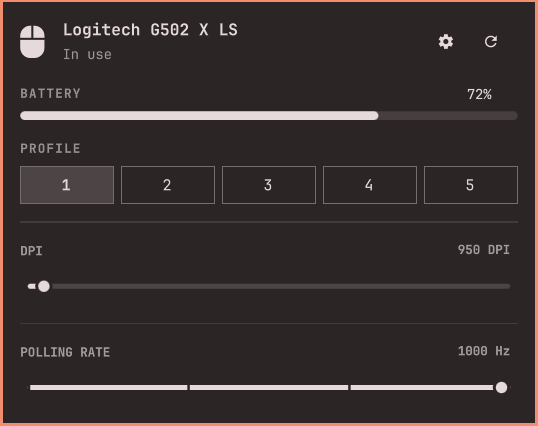
Ratbag Mouse is an Omarchy Quattro bar plugin that brings the essential controls for a gaming mouse supported by libratbag directly into the desktop.
It automatically detects devices through ratbagd and lets you inspect or change their settings without relying on a heavy application or leaving your current workflow.
Features
- Automatic detection of supported devices.
- Active onboard profile selection.
- DPI and polling-rate controls.
- Battery percentage and charging state when exposed by Linux.
- Optional Piper launcher for button and macro configuration.
Installation
First, install libratbag:
omarchy pkg add libratbag
Then install and enable the plugin:
omarchy plugin add https://github.com/UrielCuriel/omarchy-ratbag.git --enable
The plugin is also available in the Omarchy plugin marketplace.
Usage
Click the mouse widget to open the panel. From there, you can change the active profile, DPI, and polling rate; middle-click the widget to refresh device and battery information.
Changes are written directly to the mouse's onboard profile through ratbagd.